
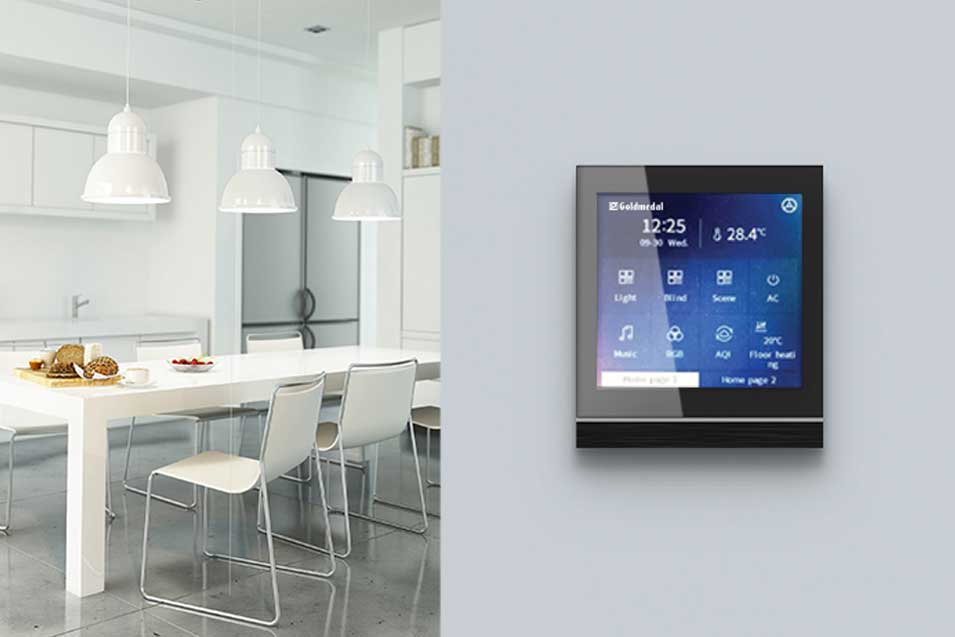
Deploying a smart home system without thorough testing can lead to unreliable performance, security risks, and frustrated users. Whether you’re a homeowner, system integrator, or facility manager, testing before full deployment ensures that devices work together seamlessly, respond accurately, and remain secure over time. This guide walks through a practical, real-world approach to validating smart home systems before committing to a complete rollout.
Understand the Scope of Your Smart Home System
Before testing begins, clearly define what you are testing. Smart home systems often combine multiple technologies, brands, and protocols, which increases complexity.
Key elements to map out include:
- Devices (lights, thermostats, cameras, locks, sensors)
- Control interfaces (mobile apps, voice assistants, wall panels)
- Connectivity methods (Wi-Fi, Zigbee, Z-Wave, Bluetooth)
- Automation rules and scenes
- Cloud services and local controllers
Having a clear system inventory prevents gaps during testing and ensures no component is overlooked.
Set Up a Controlled Testing Environment
A controlled environment allows you to test safely without affecting daily routines. This can be a dedicated room, a test bench, or a single zone of a home.
Best practices for this phase:
- Use temporary installations instead of permanent mounting
- Isolate the test network from your main home network
- Label devices clearly to track performance issues
- Simulate real-world conditions such as distance and signal interference
This setup helps identify early failures without risking system-wide disruption.
Verify Device Compatibility and Interoperability
One of the most common smart home issues is poor interoperability between devices from different manufacturers. Testing should confirm that all components communicate reliably.
Focus on:
- Pairing and unpairing devices repeatedly
- Checking response times across brands
- Ensuring firmware versions work together
- Verifying that automations trigger correctly across ecosystems
Pay close attention to edge cases, such as simultaneous commands or conflicting automation rules.
Test Network Stability and Performance
Smart homes depend heavily on network reliability. Even the best devices fail on an unstable network.
Important network tests include:
- Stress testing with multiple devices active at once
- Monitoring latency during peak usage
- Simulating internet outages and recovery
- Confirming local control works when cloud services are unavailable
A stable network test ensures your system remains functional under real-world conditions.
Evaluate Automation, Scenes, and User Experience
Automation is the heart of any smart home. Testing should confirm that routines behave exactly as intended.
Check for:
- Accurate trigger conditions (time, motion, temperature, presence)
- Smooth execution of multi-device scenes
- Logical conflict resolution between rules
- Clear and intuitive app navigation
From a user perspective, the system should feel predictable, fast, and easy to control, even for non-technical users.
Conduct Security and Privacy Testing
Smart homes handle sensitive data and physical access points, making security testing non-negotiable.
Key areas to validate:
- Strong password and authentication enforcement
- Encrypted communication between devices
- Proper user permission levels
- Secure handling of camera feeds and audio data
- Regular firmware update mechanisms
Testing security early reduces the risk of vulnerabilities after deployment.
Perform Real-World Scenario Testing
Once basic functionality is verified, simulate everyday usage to uncover hidden issues.
Examples of real-world tests:
- Morning and bedtime routines over multiple days
- Simulated power outages and restarts
- Multiple users controlling the system simultaneously
- Voice commands from different rooms
These scenarios often reveal inconsistencies that lab testing may miss.
Document Results and Refine Before Deployment
Testing is only valuable if results are documented and acted upon. Maintain a clear log of issues, fixes, and retests.
Effective documentation should include:
- Device-specific problems and resolutions
- Network performance observations
- Automation failures and corrections
- Final configuration settings
Only proceed to full deployment once the system demonstrates consistent, repeatable reliability.
Frequently Asked Questions
What is the most common mistake when testing smart home systems?
Skipping interoperability testing between devices from different brands is one of the most frequent and costly mistakes.
How long should smart home testing take before deployment?
Testing typically takes one to three weeks, depending on system size, complexity, and the number of automations involved.
Can smart home systems be tested without internet access?
Yes, and they should be. Testing offline functionality ensures the system remains usable during outages.
Is professional testing necessary for residential smart homes?
While not mandatory, professional testing is highly recommended for large or security-critical installations.
How often should smart home systems be re-tested?
Re-testing should occur after major firmware updates, adding new devices, or significant network changes.
What tools are useful for smart home testing?
Network analyzers, device logs, automation simulators, and dedicated test dashboards are commonly used.
Does testing improve long-term system reliability?
Absolutely. Thorough testing reduces failures, minimizes maintenance, and improves overall user satisfaction.


